Develop for Oracle Database, PostgreSQL and MySQL. Code stored programs, debug recorded execution, write and tune SQL, and prepare test data with AI built into your workflow. Keep source and ER diagrams in Git. You review the changes; AI never connects directly to your database.
Windows x64 · macOS Apple SiliconOpen source · Apache 2.0
MonaBase
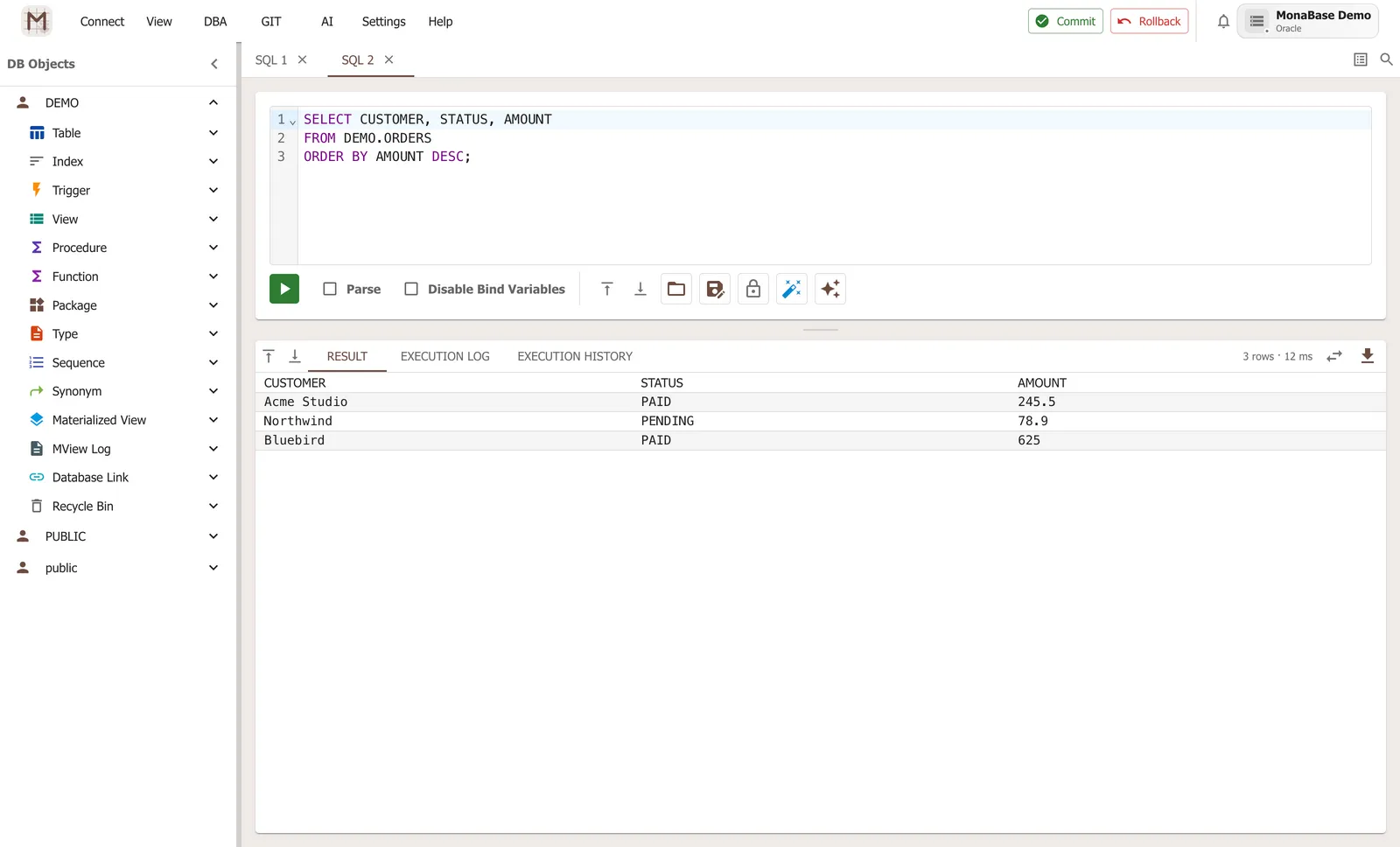
Real SQL, real results. A fictional order workflow in the MonaBase workspace.
Built around the work that matters
Code. Trace. Version.
With AI beside you.
01
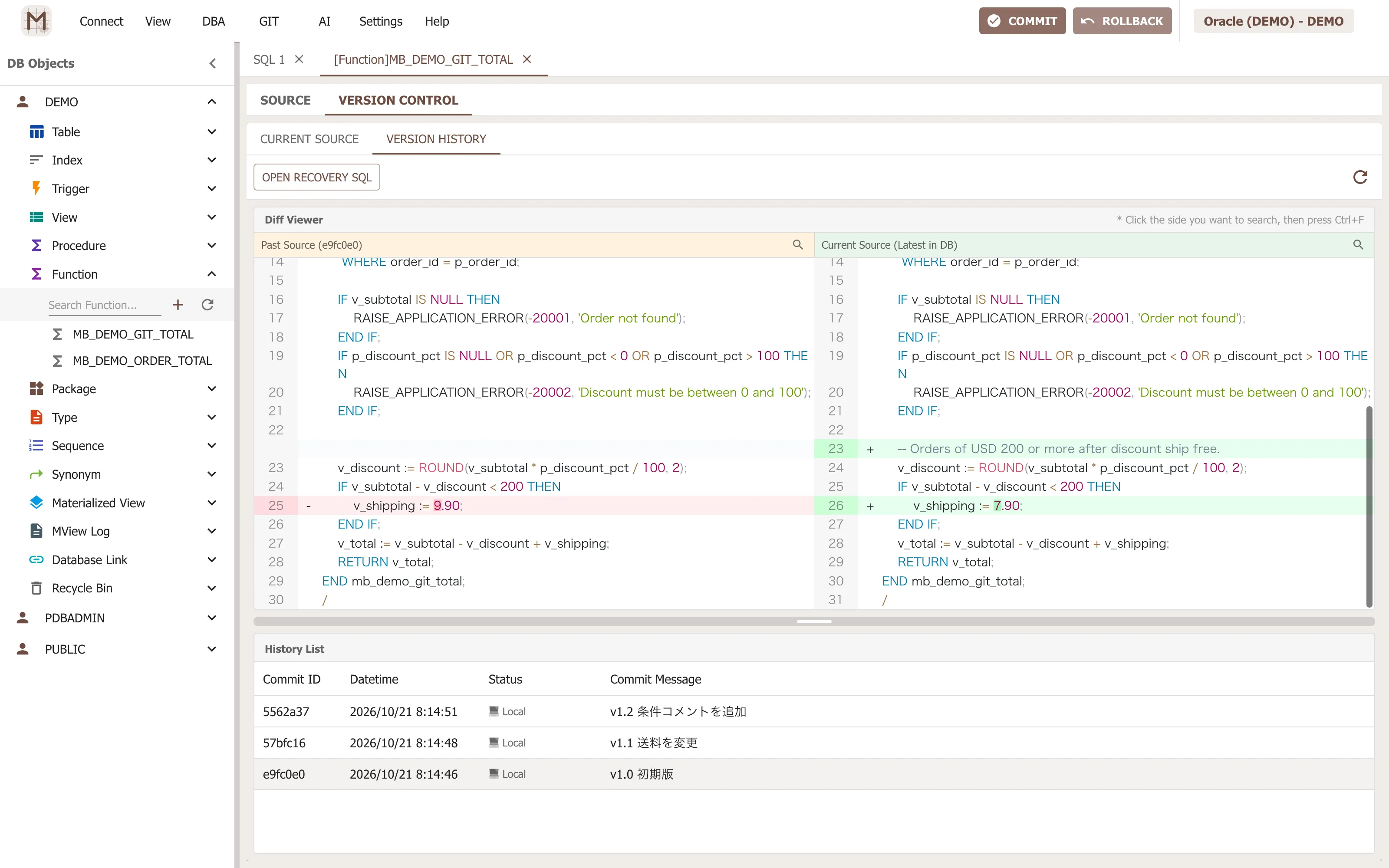
Version your source. And your ER diagrams.
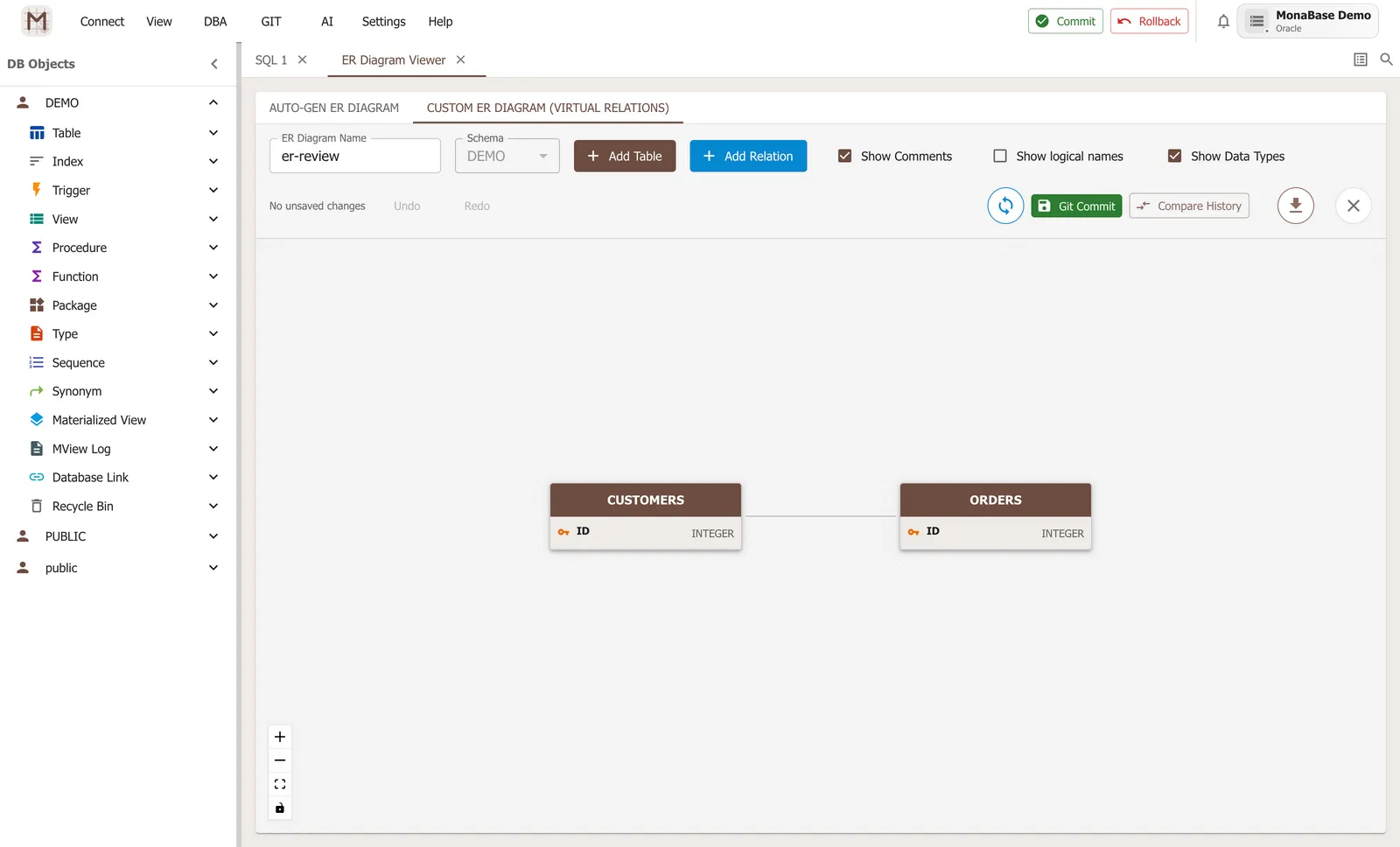
Make diagram versioning a first-class part of database development. Record custom ER diagrams alongside stored source, compare source revisions, and keep the evolution of relationships and layouts in Git.
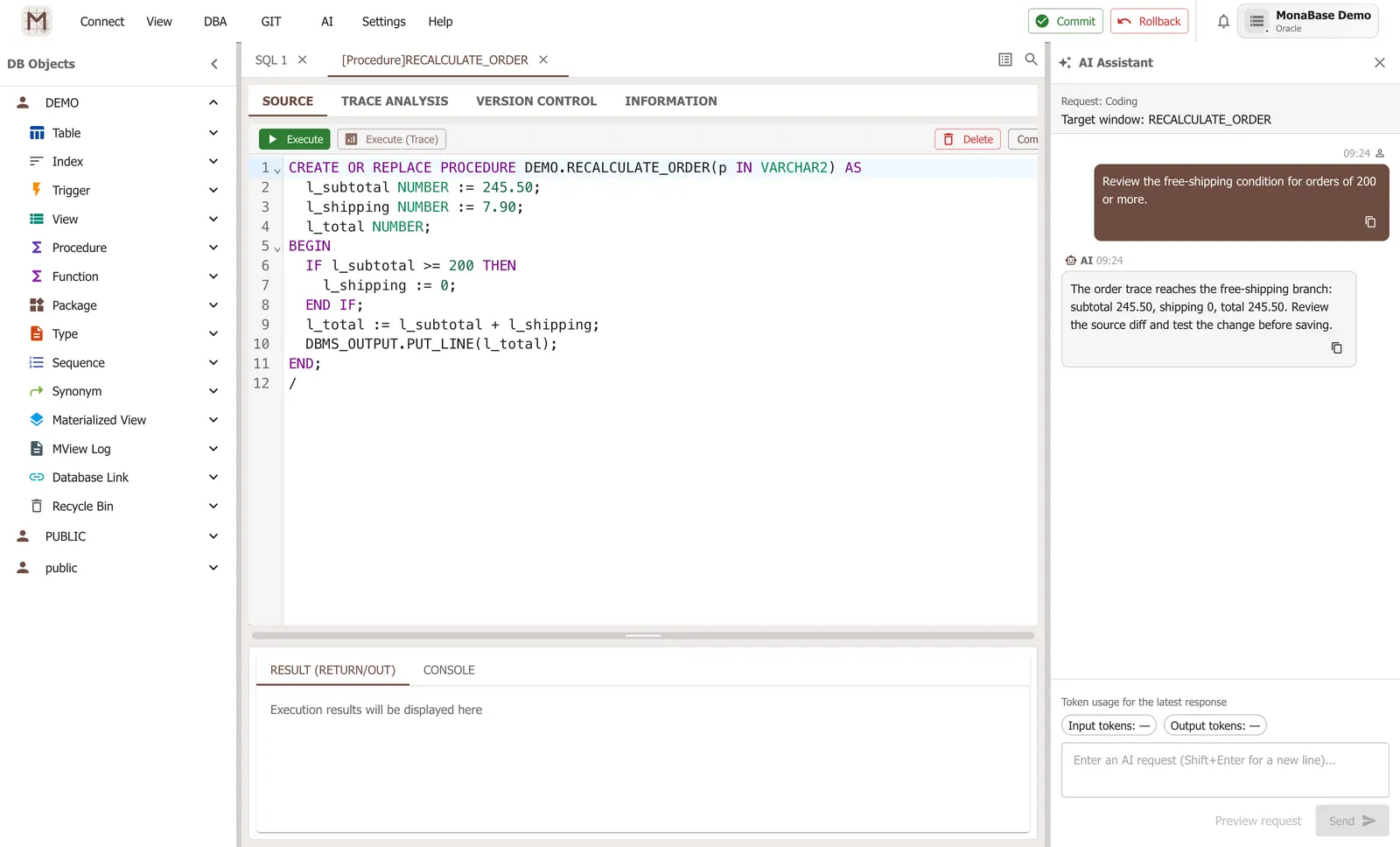
Five integrated assistants help with stored code, trace debugging, SQL creation, SQL tuning and data generation. Choose an OpenAI-compatible provider, preview the context, and review proposals before applying them.
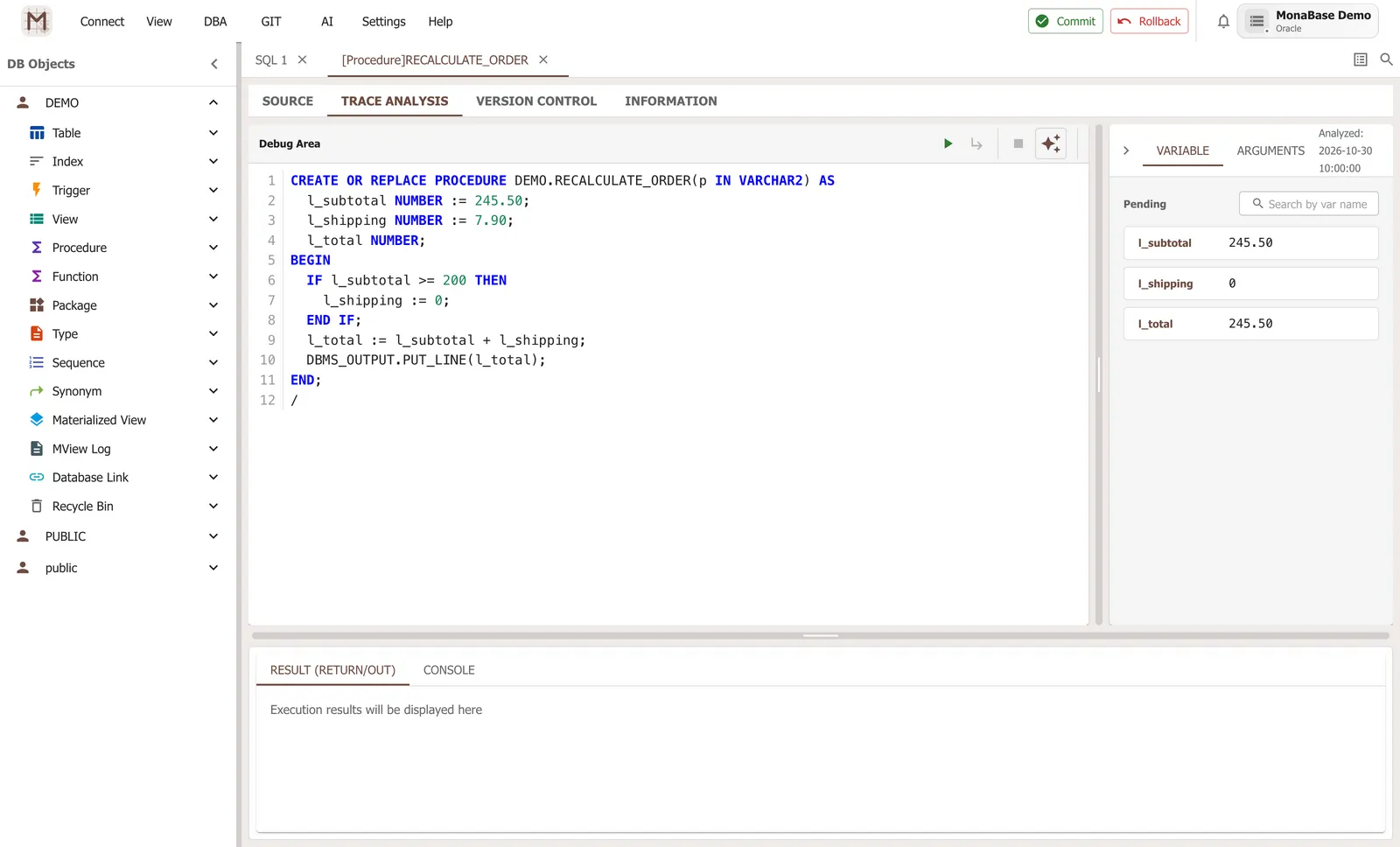
Inspect recorded lines and variable values without a live DBMS_DEBUG session. Give AI the trace to reconstruct the execution step by step, investigate a failure and check hypotheses against what actually happened.
Make diagram versioning a first-class part of database development. Record custom ER diagrams alongside stored source, compare source revisions, and keep the evolution of relationships and layouts in Git.
Five integrated assistants help with stored code, trace debugging, SQL creation, SQL tuning and data generation. Choose an OpenAI-compatible provider, preview the context, and review proposals before applying them.
An assistant for each stage
of database development.
AI is integrated with the screen you are working in, not just a generic chat box. MonaBase prepares relevant source, metadata, plans or recorded traces for a focused request that you control.
01
Stored-program & trigger coding
Create or revise procedures, functions, views and triggers using selected definitions as context; Oracle also supports package bodies. Review the source diff before adopting a proposal.
Send recorded execution order, source lines and variable values to AI. Ask it to reconstruct a pseudo step-through, explain a branch or find where a value first diverged from expectations.
Bring SQL, execution-plan information and related definitions into a tuning request. Review suggested changes and compare actual plans and results before adopting them.
Describe the sample data you need for the selected table. Use AI assistance alongside generation rules and a preview; insertion remains a separate action under your control.
The AI provider does not receive a database connection or a tool for executing SQL. MonaBase sends the context you approve; applying source, executing SQL and inserting data remain application actions you review and initiate. Selected source and trace values are still sent to your provider.
Choose your AI provider.
Configure a model and an OpenAI-compatible Chat Completions endpoint, including compatible hosted services or local providers. You are not tied to one AI vendor; available features and context limits depend on the chosen service and model.
TRACE / EVIDENCE-BASED DEBUGGING
Replay execution. Let AI follow the evidence.
For multi-thousand-line PL/SQL programs where live DBMS_DEBUG debugging can become cumbersome or unstable, MonaBase records execution and replays it afterwards. Inspecting a completed trace no longer depends on keeping the target and debug sessions synchronized. This avoids that live-session dependency rather than promising a universal line-count or performance limit. MySQL uses isolated copies and explicit fixture rows for supported procedures, functions and triggers; its syntax and recording limits are described in the Trace guide.
A pseudo step-through that AI can inspect.
Recorded execution turns otherwise transient program behavior into evidence AI can read. With the trace, AI can follow repeated lines and loops in execution order, inspect captured values, and check your hypothesis against the recorded run—not just infer behavior from source. It analyzes a replay; it does not autonomously step or execute the database.
Keep custom ER diagrams in Git, not just a folder of final images. Record snapshots as tables and relationships evolve, retain earlier designs, and keep diagram history in the same development workflow as your stored source.
Mask copies of query results, compare before and after, and repeat stored-program checks. These local tools support Oracle, PostgreSQL and MySQL without sending data to an AI service.
Data masking
OraclePostgreSQLMySQL
Create a masked JSON copy of fetched SQL results while preserving selected relationships.
Confidence for production work.
Control stays with you.
Explicit transaction controls, read-only connections and deliberate review steps help reduce accidental changes in production workflows. Combine these protections with a database account that has only the privileges your task needs.
Visible transaction control
See pending work and choose Commit or Rollback deliberately. DDL can implicitly commit earlier changes; transaction controls are not an undo button for every operation.
Read-only connection mode
Use a read-only connection for inspection. MonaBase checks allowed SQL and uses database read-only transactions, while blocking updates, stored execution and trace execution in this mode.
Review before a change
Connection colors identify the target. Preview AI requests and source diffs, review import/generation data, and confirm consequential operations before applying them.
Start with a screen below. Database badges show Oracle, PostgreSQL and MySQL availability. Each guide explains the supported controls and database-specific differences.
The Windows edition is also available from Microsoft Store. Windows x64 installer and portable EXE, plus a Developer ID-signed and Apple-notarized DMG for macOS 13+ on Apple Silicon (arm64). See Releases for downloads. Intel Macs and Linux packages are not supported. View all releases