
SQL result comparison
Check whether a rewritten or tuned query returns the same captured data. Compare rows without depending on their order, or select keys to identify changed cells. This comparison covers fetched results, not unfetched pages or whole tables.
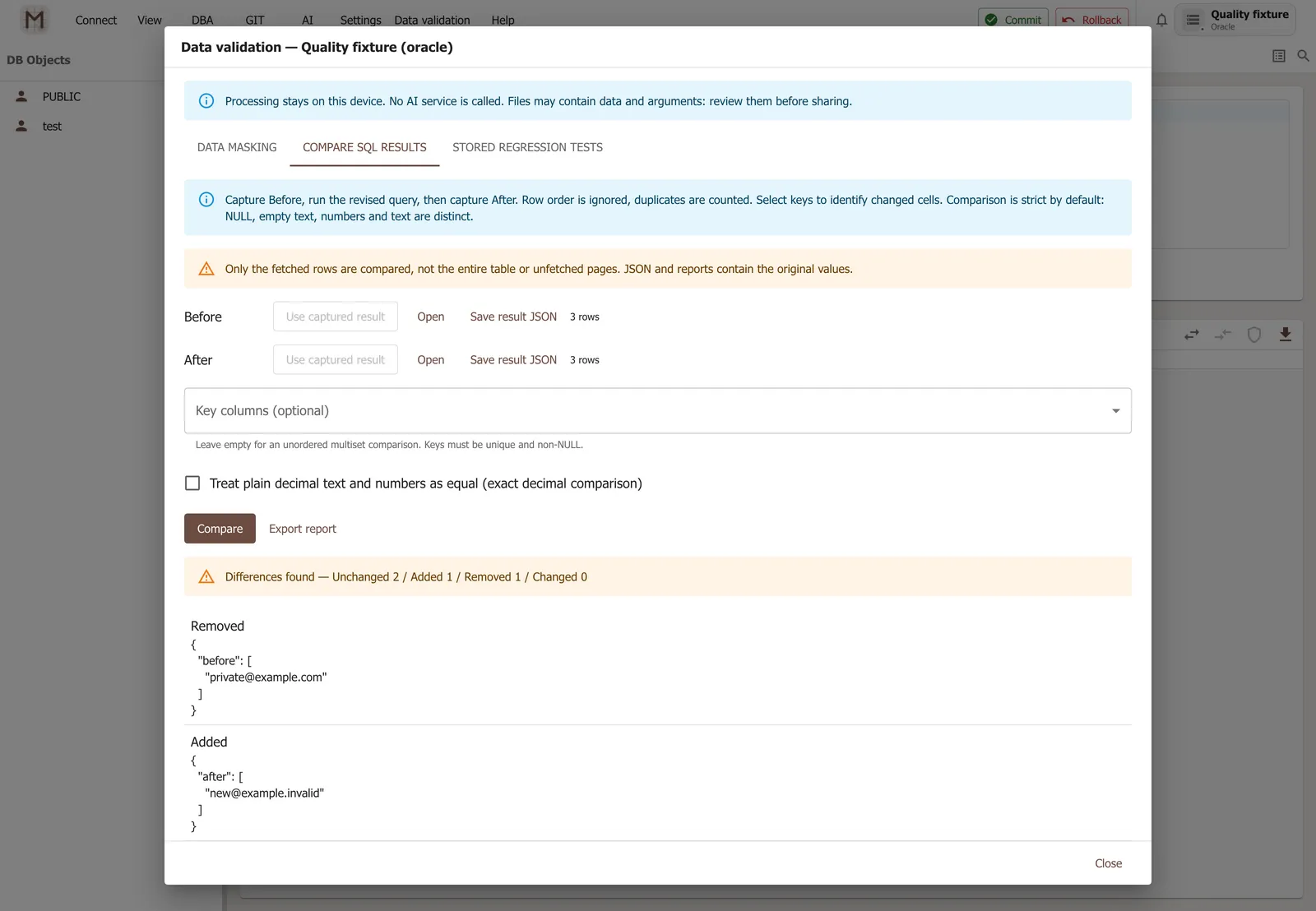
Controls and settings
Section titled “Controls and settings”Open this tool from Data validation in the top menu. Review the settings below before running it.
| Control or setting | How to use it | What happens |
|---|---|---|
| Before / After: Use captured result | Capture each result using the SQL result toolbar, then assign the desired side. | Keeps independent snapshots while you close the dialog and execute another query. |
| Open / Save result JSON | Save each side or open a previously saved snapshot. | Import limits: 8 MiB, 10,000 rows and 512 columns. Files include original values. |
| Key columns | Leave empty or select one or more non-NULL unique columns. | No keys: counts identical rows including duplicates. Keys: identifies added, removed and changed rows; duplicate or NULL keys are refused. |
| Numeric text equivalence | Enable to compare ordinary decimal text and numbers as equivalent. | Off by default. Decimal text is normalized without conversion to imprecise floating-point numbers. Scientific notation remains strict. |
| Compare | Run after registering both snapshots and choosing comparison settings. | Displays counts for unchanged, added, removed and changed rows. Row order is ignored. |
| Differences / Export report | Review changed column names and before/after values. | The UI shows up to 100 differences; the JSON report contains all computed differences. |
Use it after SQL tuning
Section titled “Use it after SQL tuning”Capture a baseline before rewriting joins, filters or aggregations, then compare the optimized result. Check the same data range and consider concurrent updates; matching samples do not prove every input is correct. See the SQL guide for execution plans and tuning.
NULL, duplicates and types
Section titled “NULL, duplicates and types”NULL differs from empty text. Numbers differ from text by default. Row duplicates count even when their values match. Stored captures are kept only in memory and cleared on disconnect, reconnect or exit; save a JSON file if you need them later.
How to use this screen
Section titled “How to use this screen”- Execute the original SQL, click Compare SQL results in its result toolbar and register it as Before.
- Close the dialog, execute the revised query, capture its result and register it as After. You can also open saved result JSON files.
- Choose keys and numeric equivalence if needed, compare, inspect differences and export a report.