
Data masking
Remove columns or replace values before sharing a copy of query results. MonaBase transforms the captured data locally and never updates the source database. Tokens are pseudonyms; they do not guarantee that individuals cannot be identified.
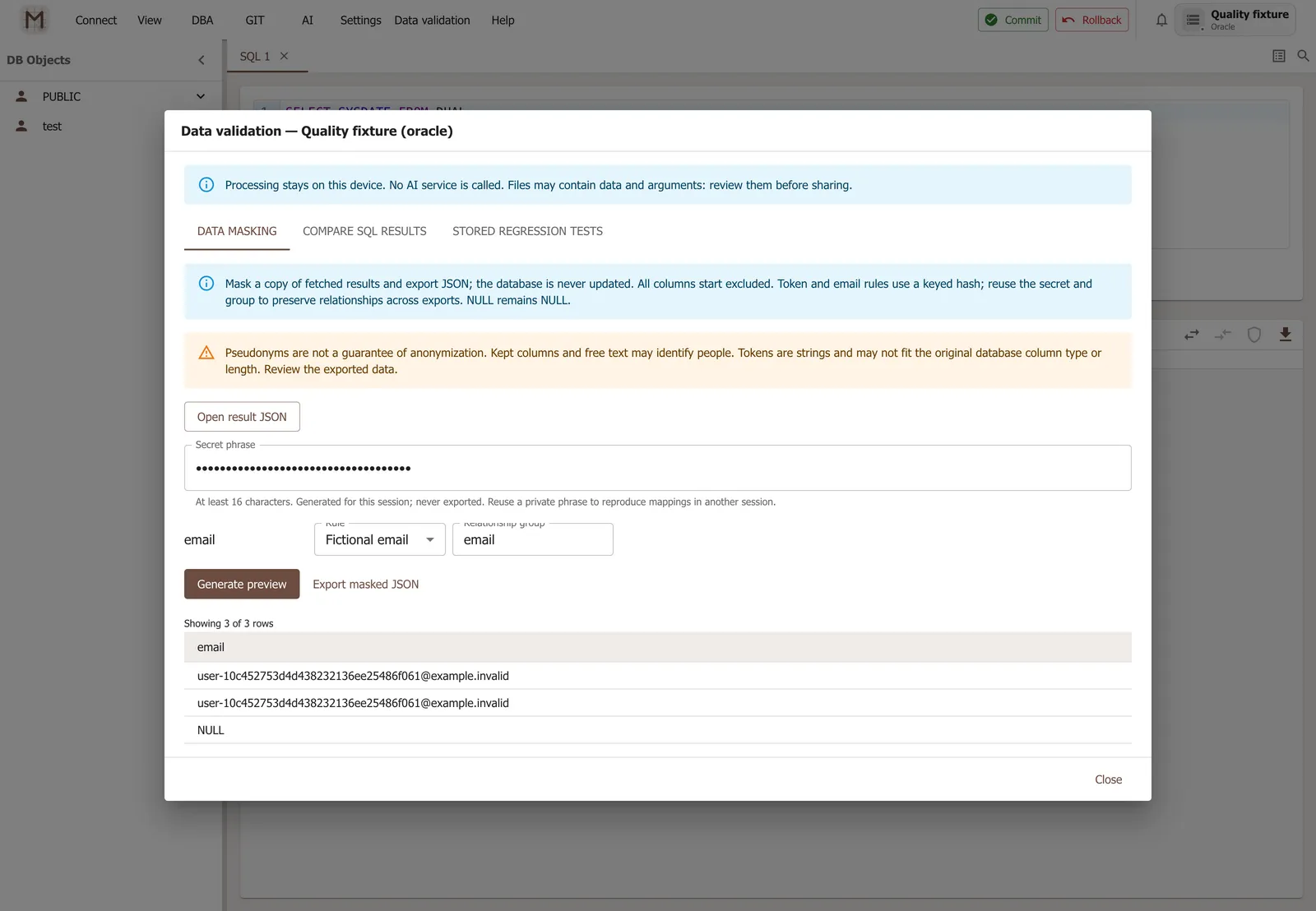
Controls and settings
Section titled “Controls and settings”Open this tool from Data validation in the top menu. Review the settings below before running it.
| Control or setting | How to use it | What happens |
|---|---|---|
| Open result JSON | Select a saved MonaBase result JSON. | Imports up to 8 MiB, 10,000 rows and 512 distinct columns. |
| Exclude column / Keep original | Explicitly choose which columns to export unchanged. | Excluded columns are omitted; kept columns still contain their original values. |
| NULL / Fixed text | Replace non-NULL values with NULL or your chosen text. | Existing NULL values remain NULL even when fixed text is selected. |
| Consistent token / Fictional email | Choose a relationship group for columns that need the same mapping. | A keyed hash produces consistent text tokens. Fictional email uses example.invalid. |
| Secret phrase | Use at least 16 characters; a random phrase is supplied for the current session. | The phrase is not exported. Retain it privately to reproduce mappings after a restart. |
| Generate preview / Export masked JSON | Inspect the preview before choosing a destination file. | Shows the first 100 rows; exports all captured rows with the current rules. |
Preserve relationships across tables
Section titled “Preserve relationships across tables”For example, mask customers.customer_id and orders.customer_id with the same phrase and group. Identical original values of the same JSON type then receive the same token. Text “12” and the number 12 are different inputs. Different phrases or groups deliberately produce different mappings.
Review privacy before sharing
Section titled “Review privacy before sharing”Kept columns, free text and combinations of values may still identify people. Neither this feature nor a token alone guarantees anonymization. No AI service receives the data during masking, and the export does not include the phrase or a reverse mapping.
How to use this screen
Section titled “How to use this screen”- Run a SELECT in the SQL window and click Data masking in the result toolbar. Alternatively, open a result JSON previously saved from SQL result comparison.
- Choose a rule for each column; every column starts excluded. For related columns in separate tables, use the same secret phrase and relationship group.
- Generate the preview, review the transformed values and export the masked JSON. Check kept columns and free text before sharing.